


Home Assistant
4.1548.00 Reviews
App Specs
- Version
- Varies with Device
- Updated On
- License
- Free
- Downloads
- 1,000,000+
- Developer
- Open Home Foundation (OHF)
- Categories
- House & Home
- Platform
- Android, iOS
Screenshots
 Analysis by AppCompare
In a shared home, the best smart-home setup is one people can actually use without hunting through several separate apps. I like the idea behind Home Assistant: it gives household members one place to check and control connected devices, while leaving room to tailor what appears on the screen. It is a free home app from the Open Home Foundation, and it makes the most sense when you already have compatible devices and someone in the home is willing to handle the initial setup.
One household, one useful view
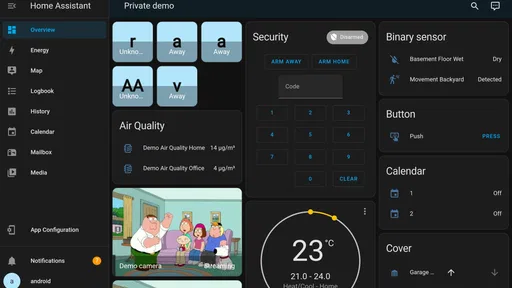
Picture a weekday morning: one person is getting ready to leave, another is still upstairs, and someone wants to check whether the lights were left on. A dashboard that puts the relevant controls and status in one place can reduce the usual round of messages and app-switching. The practical benefit is not that every household task becomes automatic; it is that people can see and operate the connected parts of the home from a shared interface.
That shared view works best when it reflects how the home is actually used. I would keep the everyday controls easy to spot and avoid filling the main screen with every device and setting. A resident who only needs to switch a light or check a thermostat should not have to understand how the whole system is assembled. Meanwhile, the person maintaining it can keep more involved choices out of the way of routine use.
Setup is a household decision
The app is a controller for a Home Assistant system, not a substitute for choosing and setting up compatible smart-home equipment. That distinction matters if you are buying your first connected device: the app alone will not make an incompatible product work. Before building a household around it, I would check whether the devices you own or plan to buy can be brought into your setup, then start with a small, useful group rather than trying to connect everything at once.
This is also where household boundaries deserve a little thought. Decide who will maintain the system, who needs to use it day to day, and which controls belong on a shared device. A tablet in a common room can be convenient, but it also makes the displayed controls visible to anyone nearby. I would treat that as a practical design choice, not assume that a shared screen automatically provides separate permissions or family controls.
For a household with several people, agree on straightforward names for rooms and devices before the dashboard grows. “Hall light” is easier to understand than a technical label that only the installer recognizes. That small bit of organization pays off when someone else has to find a control quickly, and it makes later changes less confusing for whoever takes responsibility for the setup.
Making the system work for everyday routines
I find that a shared smart-home setup works best when its everyday routines are clear to everyone, not just the person who configured them. In this section, I look at how to introduce automations gradually, keep a manual way to operate devices, and coordinate changes so convenience for one resident does not become confusion for another.
Worth Reading Before You Choose

Baby Panda World Brings Quick Play to Modern Phones, but Its Game Library Feels Busy

ESPN’s Live Game View Makes Following Close Games Easier

QuizzLand Review: A Good Fit for Short Trivia Breaks, Not Every Player

Basketball Stars: Multiplayer Is Fast, but Can It Recover When Matches Go Wrong?

WEBTOON Turns Phone Updates Into a Better Reading Routine

Link to Windows Runs on Shared Habits, Not Social Feeds
Coordination without over-automation
Automations can help with recurring tasks, but I would begin with a routine that has a clear benefit and an easy manual fallback. A light that responds to a familiar daily pattern may be useful; a chain of actions that nobody understands can become a source of frustration. In a shared home, it is worth explaining what an automation does and how to operate the device normally if the routine does not suit someone that day.
There is a useful trade-off here: central control can make devices easier to coordinate, but it also means that changes to the system may affect more than one person. If you adjust a dashboard or automation, consider whether another resident relies on the old arrangement. A quick check with the people who use the space is often more effective than adding extra complexity to account for every possible preference.
Home Assistant is best suited to people who enjoy shaping their setup and want a common control point for compatible devices. Someone who has only one smart bulb and wants the simplest possible experience may be happier with that bulb’s own app. Likewise, a household that does not want anyone to take responsibility for setup and upkeep may prefer a simpler, more limited system. The extra flexibility is valuable only if it solves a real household need.
Trust, privacy, and age context
The app is rated for Everyone, but that age label is not a guide to who should administer a connected home. Younger household members may find simple controls easy to use, while decisions about system changes and account access should stay with the person responsible for the home. I would make shared controls clear and keep maintenance tasks with someone comfortable troubleshooting when a device or routine does not behave as expected.
Home Assistant is associated with a local-first approach, which can appeal to people who prefer keeping more of their smart-home setup under their own control. Still, privacy and security depend on how the system is configured and maintained, not just on choosing an app. Use sensible account practices, keep the system maintained, and think carefully before making home controls reachable beyond the household. Convenience should not mean treating access casually.
If you are deciding whether it is suitable for a shared household, ask a practical question: can the people who need everyday controls use them without relying on the person who built the system? If not, simplify the dashboard and explain the controls before adding more automations. That is a more useful test than counting how many devices the system can potentially bring together.
Where it fits among home apps
Many smart devices come with their own companion apps, and those can be the easiest choice when you only use products from one maker. Home Assistant is more compelling when a household wants to bring compatible devices into a broader, customizable setup instead of switching between separate interfaces. The trade-off is a steeper learning curve: a single-brand app may be quicker to start using, while Home Assistant gives the person configuring it more room to shape the experience.
The app has an average rating of 4.1 from around 13,000 ratings, and it has been installed over a million times. Those figures suggest that it has reached a substantial audience, but they do not tell me whether it will suit a particular home. Compatibility, willingness to configure the system, and the needs of other residents matter more than popularity when you are choosing a smart-home approach.
Released in November 2019, the app is still best judged by the way it fits into a household’s current setup rather than by its age alone. I would not choose it simply because I expect every device to work without checking. I would choose it when I want a central interface, have compatible equipment, and am prepared to spend some time making the controls understandable for everyone who will use them.
Getting Started with Home Assistant
First off, let’s talk about setting up Home Assistant. If you're like me and tend to shy away from overly complicated tech setups, you'll be relieved to know that this app is surprisingly user-friendly. After downloading the app from your device’s app store, you’ll be guided through a straightforward installation process. Just make sure your smart devices are compatible, and you’re good to go.
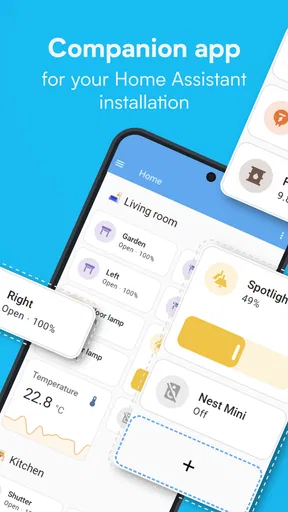
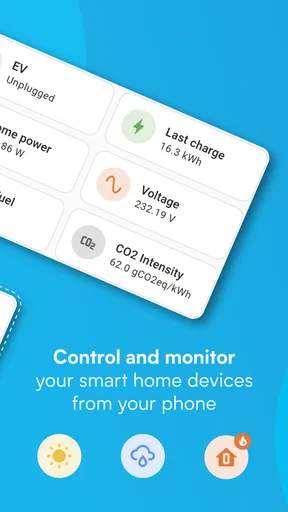
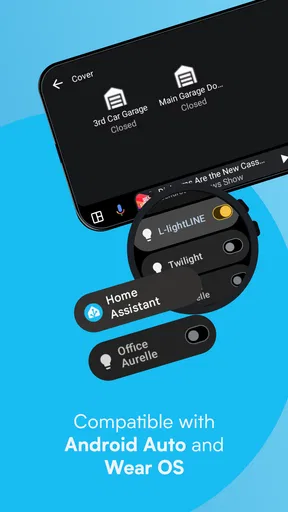
The app’s interface is clean and intuitive. It might take a bit of tinkering to get everything just right, but that’s part of the fun. You can customize your dashboard to show the status of all your connected devices at a glance. Need to know if you left the garage door open? Or maybe you want to adjust the thermostat before you get home? It’s all there, just a tap away.
Features That Make Your Home Smarter
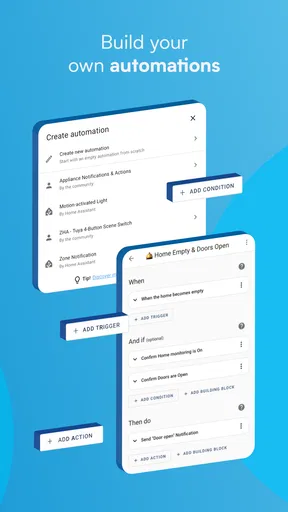
One of the standout features of Home Assistant is its ability to integrate with a wide range of devices. Whether it’s smart lights, thermostats, or security cameras, this app can handle it all. You can create automations that make your life easier, like setting your lights to dim when the TV is on or having your coffee maker start brewing as soon as your morning alarm goes off.
And let’s not forget about voice control. With support for popular voice assistants like Alexa and Google Assistant, you can control your home with just your voice. How cool is that? "Hey Google, turn on the living room lights"—and voila, you’ve got instant ambiance.
Security and Privacy
In this day and age, privacy is a big deal. The developers of Home Assistant get that, which is why the app is designed with security in mind. Your data stays local, meaning you don’t have to worry about your personal information being stored on some remote server. It’s a comforting thought, especially when we’re talking about something as personal as your home.
Of course, with great power comes great responsibility. You’ll want to make sure you keep your system updated and secure, but the app offers plenty of resources to help you along the way.
Room for Improvement?
Now, no app is perfect, right? While Home Assistant offers a ton of great features, some users might find the initial setup a bit daunting, especially if you’re not the most tech-savvy person. But trust me, once you get the hang of it, you’ll wonder how you ever lived without it.
Another point to consider is that some advanced features might require a bit of coding knowledge. If you’re up for the challenge, there are plenty of community resources and tutorials to help you out. But if coding isn’t your thing, the basic features are more than enough to make your home smarter.
The Final Word
In a nutshell, Home Assistant is a fantastic tool for anyone looking to streamline their smart home experience. It’s versatile, powerful, and offers a level of customization that’s hard to beat. Sure, there’s a learning curve, but the payoff is more than worth it.
So, if you’re ready to take your smart home to the next level, give Home Assistant a try. It’s like having a personal assistant that never takes a day off. And really, who wouldn’t want that?
Pros
- Highly customizable automation
- Supports a wide range of devices
- Open-source and free to use
- Strong community support
- Regular updates and improvements
Cons
- Steep learning curve initially
- Requires technical setup
- Limited official documentation
- Can be resource-intensive
- Some integrations may be complex
FAQs for Home Assistant
What is Home Assistant and what does it do?
Home Assistant is an open-source home automation platform that allows you to control and automate various smart home devices. It integrates with numerous smart products, enabling users to manage everything from lighting and temperature to security systems and more, all from a single interface. It's designed to enhance convenience and efficiency in managing your smart home.
Is Home Assistant compatible with my smart devices?
Home Assistant supports a wide range of smart devices and platforms, including Philips Hue, Google Assistant, and Amazon Alexa, among others. It continually updates to integrate with new devices. Before downloading, check Home Assistant's website or community resources for a complete list of compatible devices to ensure it meets your specific needs.
How easy is it to set up Home Assistant?
Setting up Home Assistant can be straightforward, especially with their user-friendly installation guides. However, it may require some technical knowledge, particularly for advanced configurations. Beginners can start with the basic setup, and the platform's active community offers plenty of support and resources for troubleshooting and advanced features.
Is Home Assistant free to use?
Yes, Home Assistant is completely free to use as it is an open-source platform. You can download and install it without any charges. However, some advanced features or integrations might require additional software or hardware purchases. Supporting the developers through donations is also encouraged to maintain development and updates.
Does Home Assistant ensure data privacy and security?
Home Assistant prioritizes user privacy and security by running locally on your own hardware, ensuring that your data isn't stored in the cloud unless configured otherwise. It offers various security features, such as encrypted connections and two-factor authentication, to enhance the safety of your smart home ecosystem.


